Activate. Calm. Balance. Pick your reset.
Pust Reset is a breathwork toolbox with three proven techniques. Power Breathing to activate. 4-7-8 to calm. Alternate Nostril to balance. On iPhone, iPad, and Apple Watch, with every session saved to Apple Health.

Scan with your iPhone camera
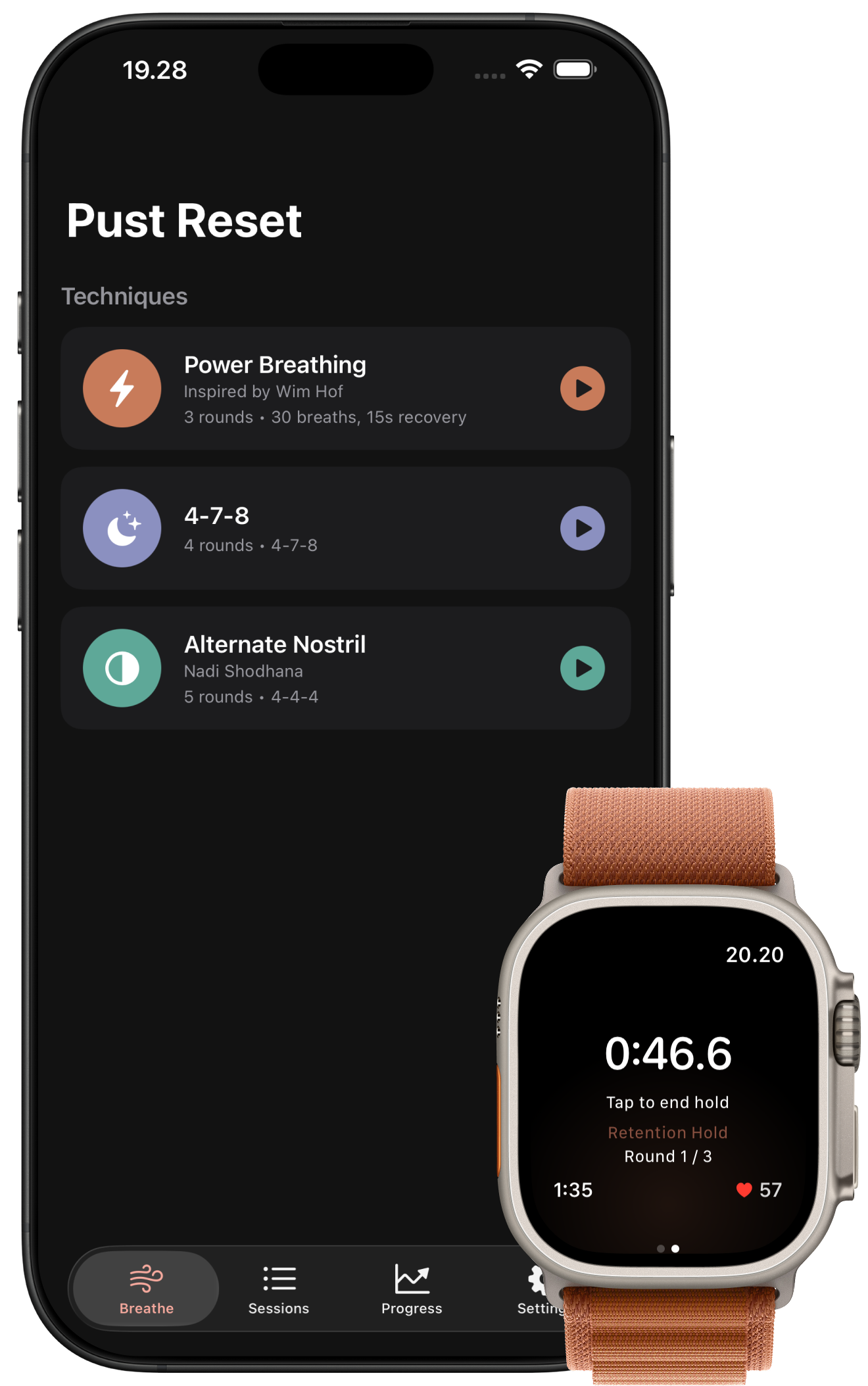
Stress, sleep, focus. The right breath would help. But not just any breath.
You've heard 4-7-8 calms you down, Power Breathing wakes you up, Alternate Nostril clears your head. Without a tool that knows the difference, you reach for the wrong one. Or none at all.
Stress compounds. Sleep slips. Focus drifts.
Three techniques. Three different jobs.
Power Breathing wakes you up. 4-7-8 winds you down. Alternate Nostril balances you out. Pick the one you need right now.
Built for the technique, not a generic timer
Power Breathing counts your breaths and times your retention hold. 4-7-8 paces 4-7-8 for you. Alternate Nostril tells you which nostril. Each screen does its job.
Apple Health does the tracking
Every session goes to Apple Health, saved the way you choose: a Mind & Body workout with heart rate, mindful minutes, or both. Pust Reset reads your history right back from Health.
The problem was never your motivation. It was reaching for the wrong tool.
A 2023 Stanford trial found that five minutes of daily breathwork improved mood and reduced anxiety more than mindfulness meditation, with the largest gains from longer exhales, exactly what 4-7-8 trains. Balban et al., Cell Reports Medicine.
How it works
Pick your reset
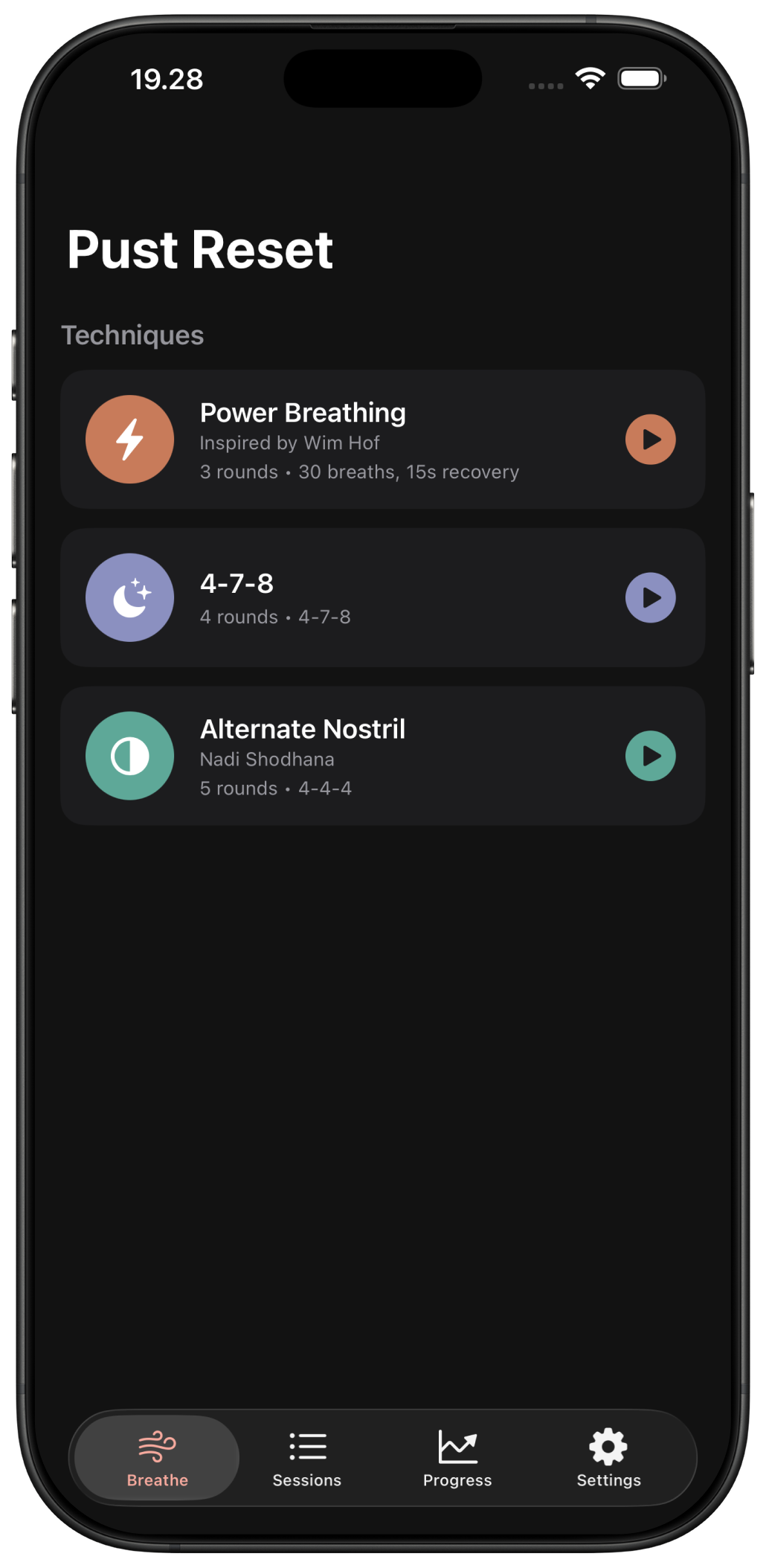
Power Breathing for activation. 4-7-8 for calm. Alternate Nostril for balance.
Breathe along
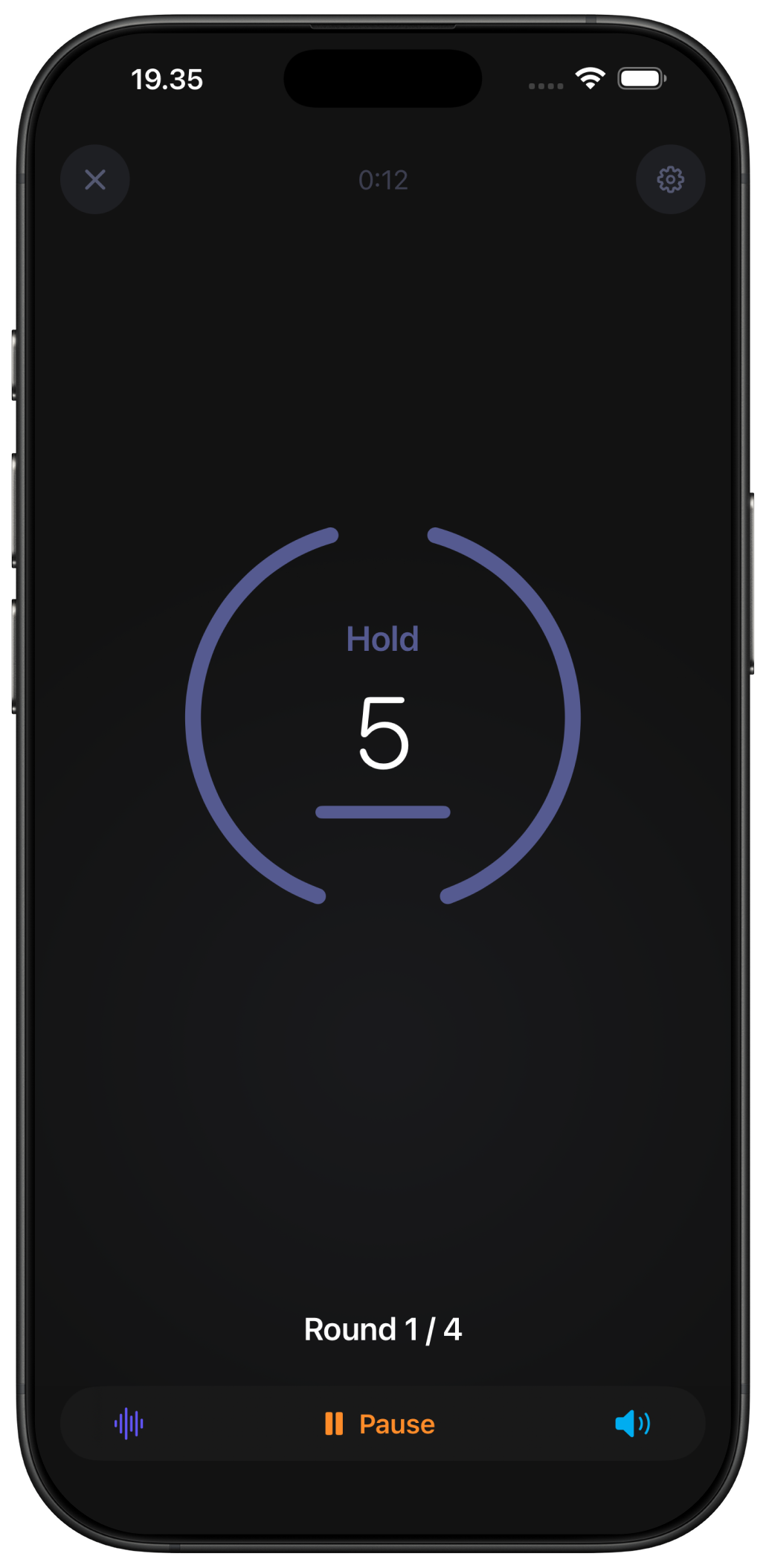
Voice cues and haptic taps guide each breath. Close your eyes. Set the phone down. The screen is optional.
Watch it add up
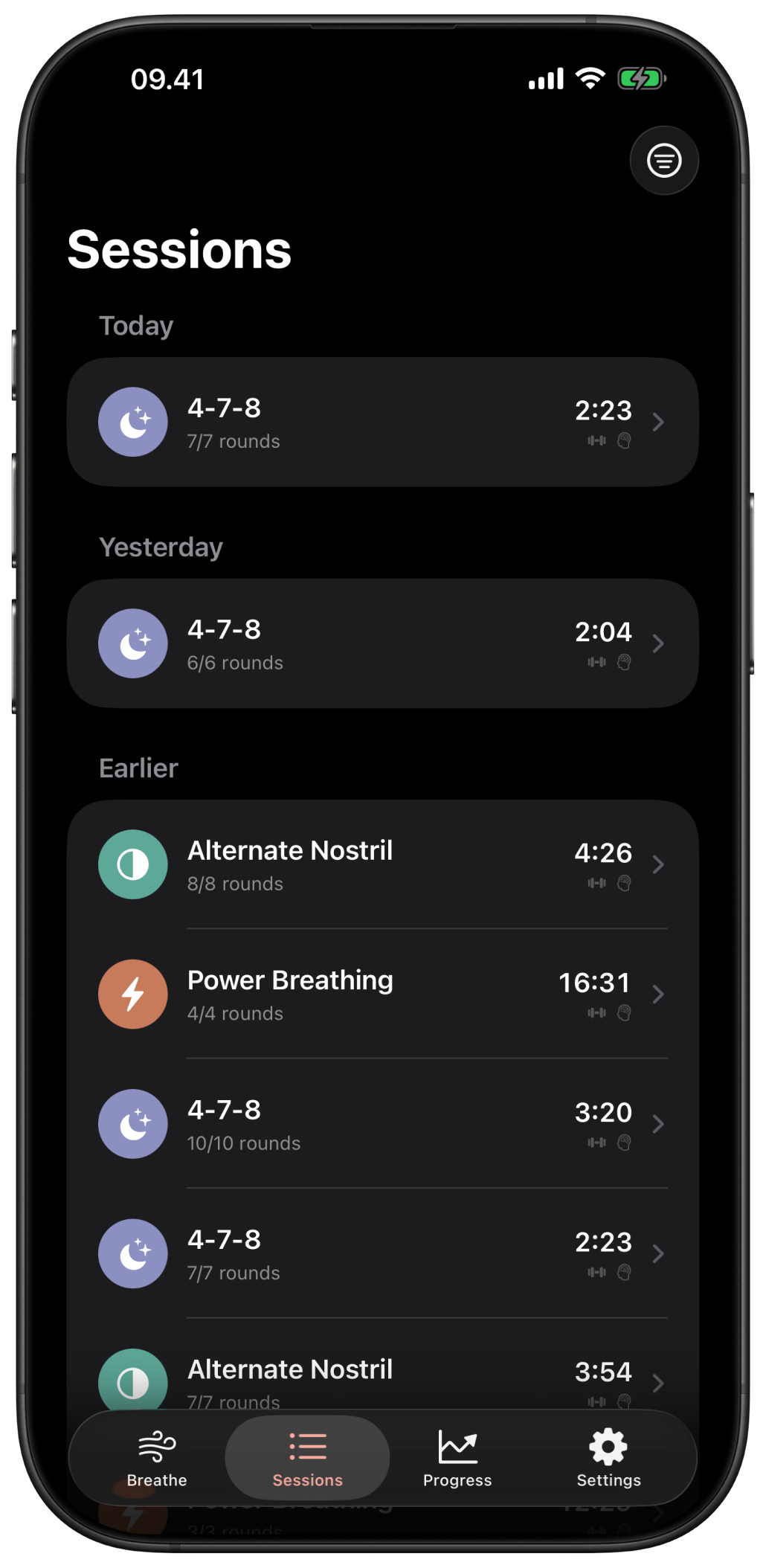
Every session lands in Apple Health. Personal bests on Power Breathing. Streaks. Mindfulness minutes.
The right tool for the moment
Three techniques, three different effects on your nervous system. Pick the one that matches what you need right now.
Need to wake up?
Power Breathing
30 breaths × 3 rounds. Activation, immune response.
Can't sleep?
4-7-8
2 rounds before bed. Calm, anxiety relief.
Stressed or scattered?
Alternate Nostril
5 cycles. Balance, mental clarity.
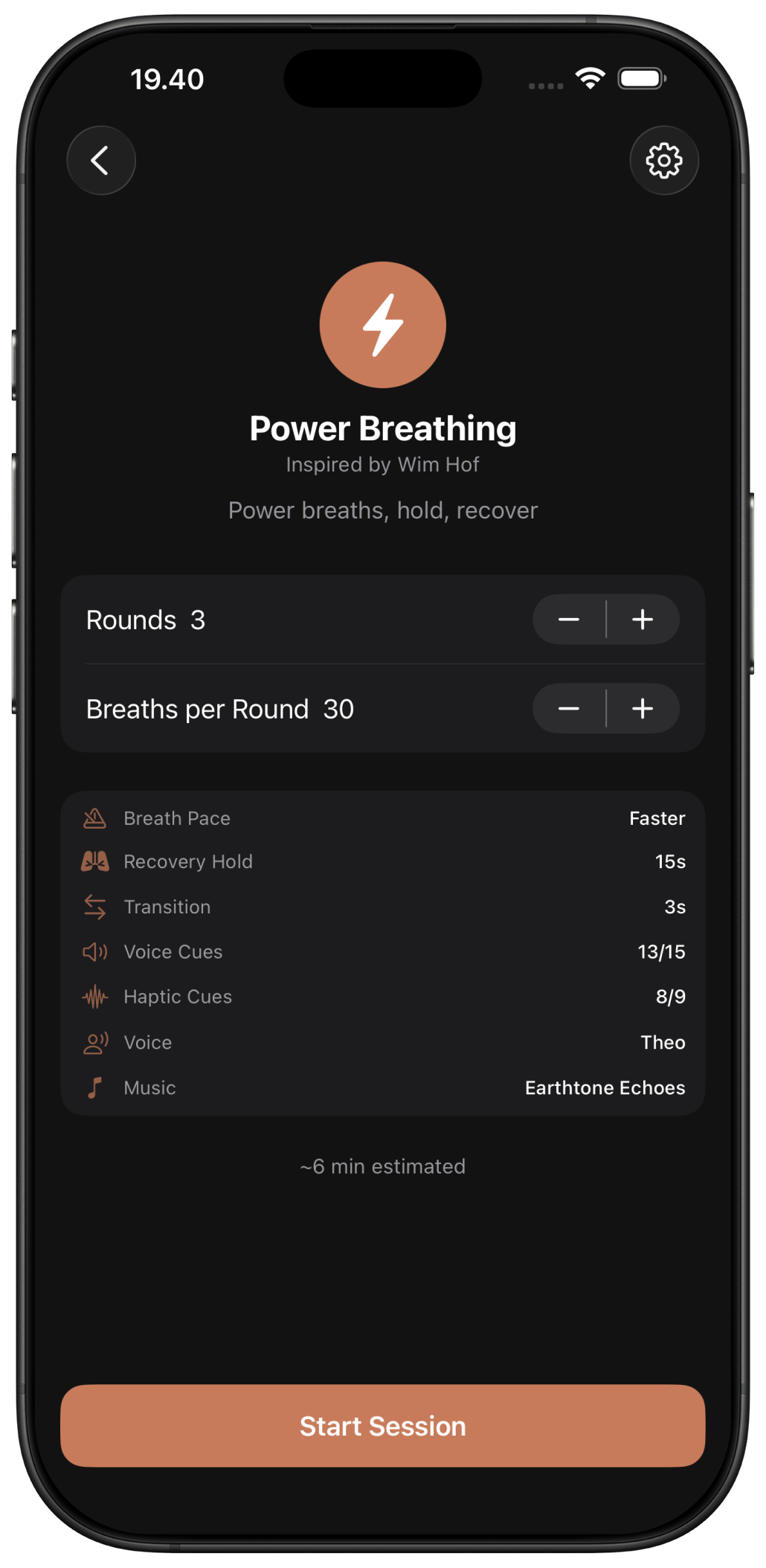
Each technique gets its own screen
Power Breathing counts your 30 breaths and times your retention hold. 4-7-8 paces the 4-second inhale, 7-second hold, 8-second exhale. Alternate Nostril tells you which side to use next. Three techniques. Three screens. No generic timer trying to do all of them.
- Tap to start. Each technique opens in the screen built for it.
- Change your rounds, hold times, and cycles before you start
- Save your settings as a preset so it is ready next time
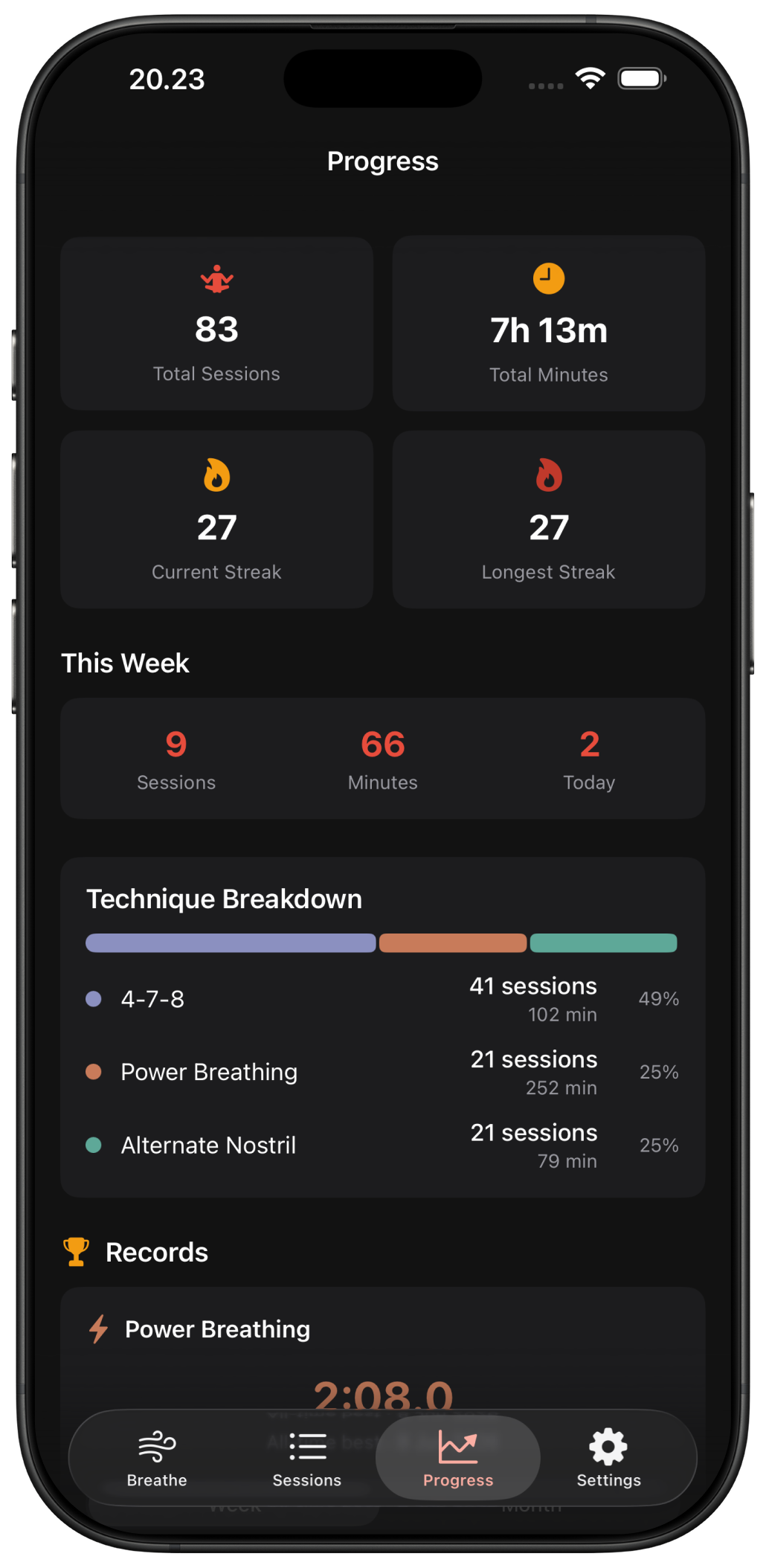
It all lands in Apple Health
Every session goes to Apple Health, and you choose what each one counts as: a Mind & Body workout with heart rate and activity credit, mindful minutes, or both. Pust Reset keeps no copy of its own. Your history is read straight back from Apple Health.
- Save sessions as a Mind & Body workout, mindful minutes, or both
- Heart rate and activity credit when you save as a workout, via Apple Watch
- Mindful minutes only, with no workout, if that is all you want
- Note how you feel after a session, logged to Apple Health as a State of Mind entry
- Pust Reset reads your history from Apple Health and keeps no copy of its own
- Switch how sessions save anytime in Settings
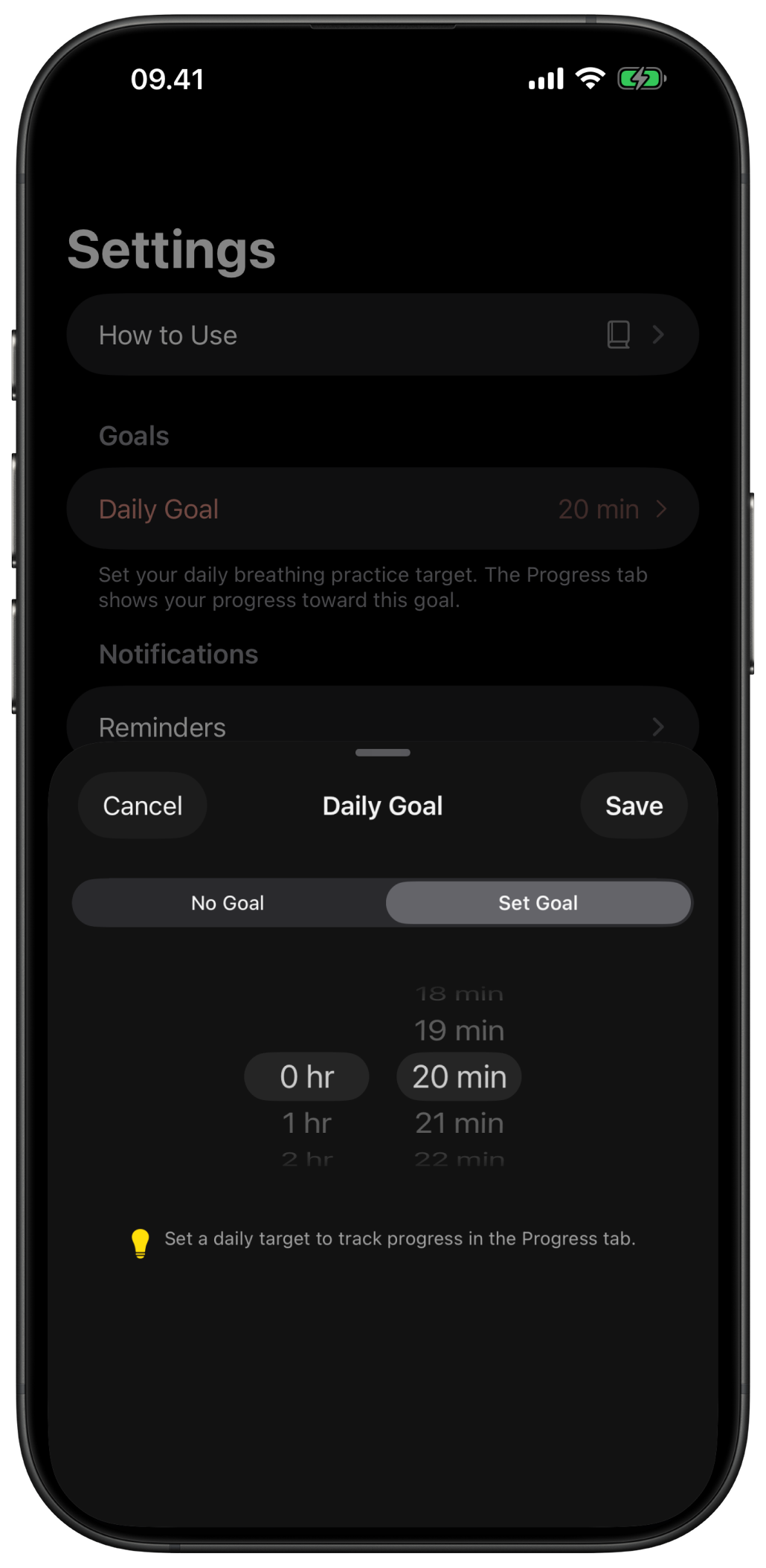
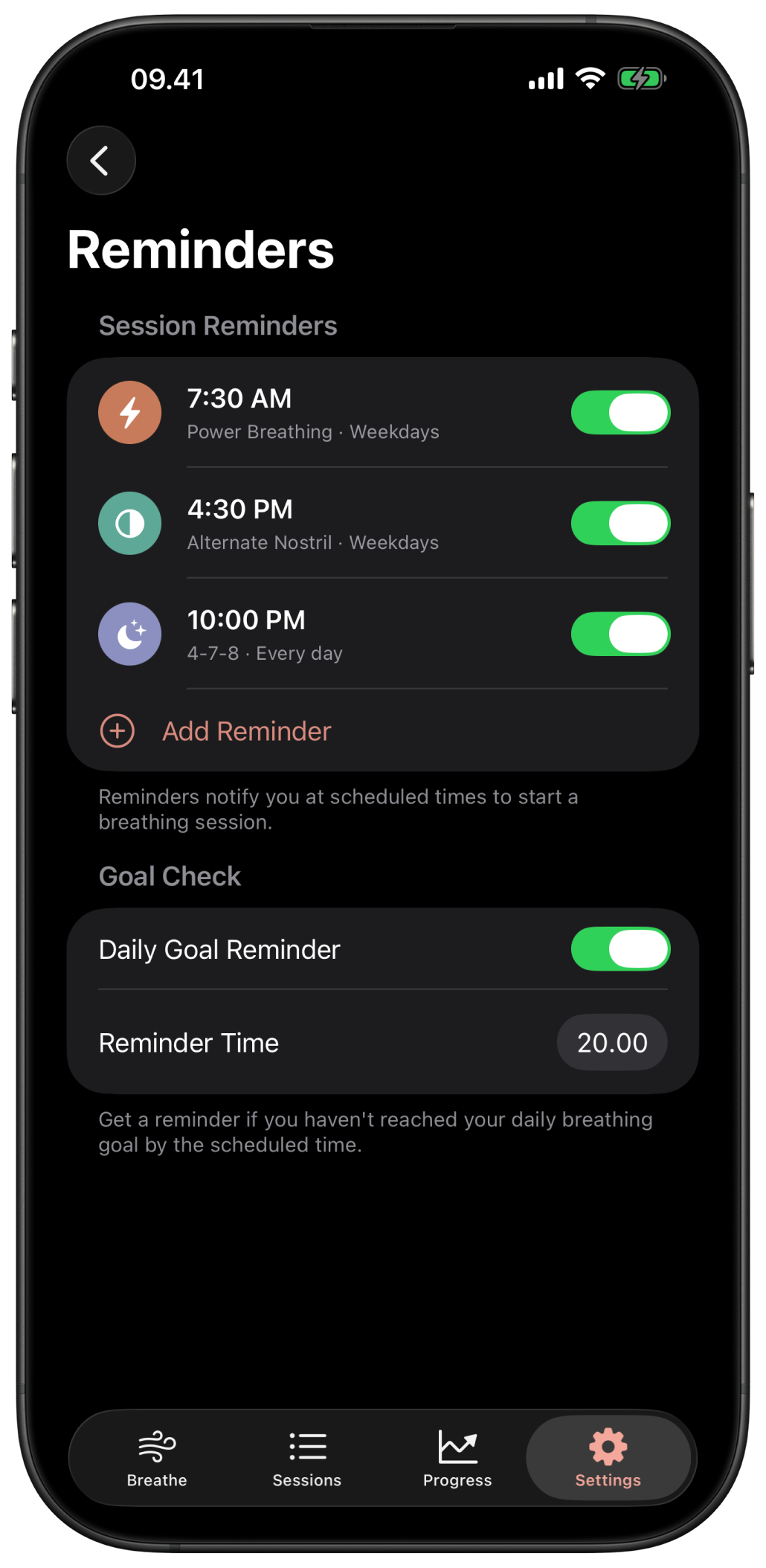
A daily goal that respects your day
Pick a goal between 5 and 30 minutes a day. Schedule reminders for the techniques and times that fit your routine, plus a nudge if you have not reached your goal. Skip days without breaking anything. Your streak picks up when you come back.
- Daily goal options from 5 to 30 minutes
- Reminders per technique, on the days and times you choose
- A daily goal reminder if you have not practiced by then
- Streaks and achievements for milestones like longest hold or 50 sessions
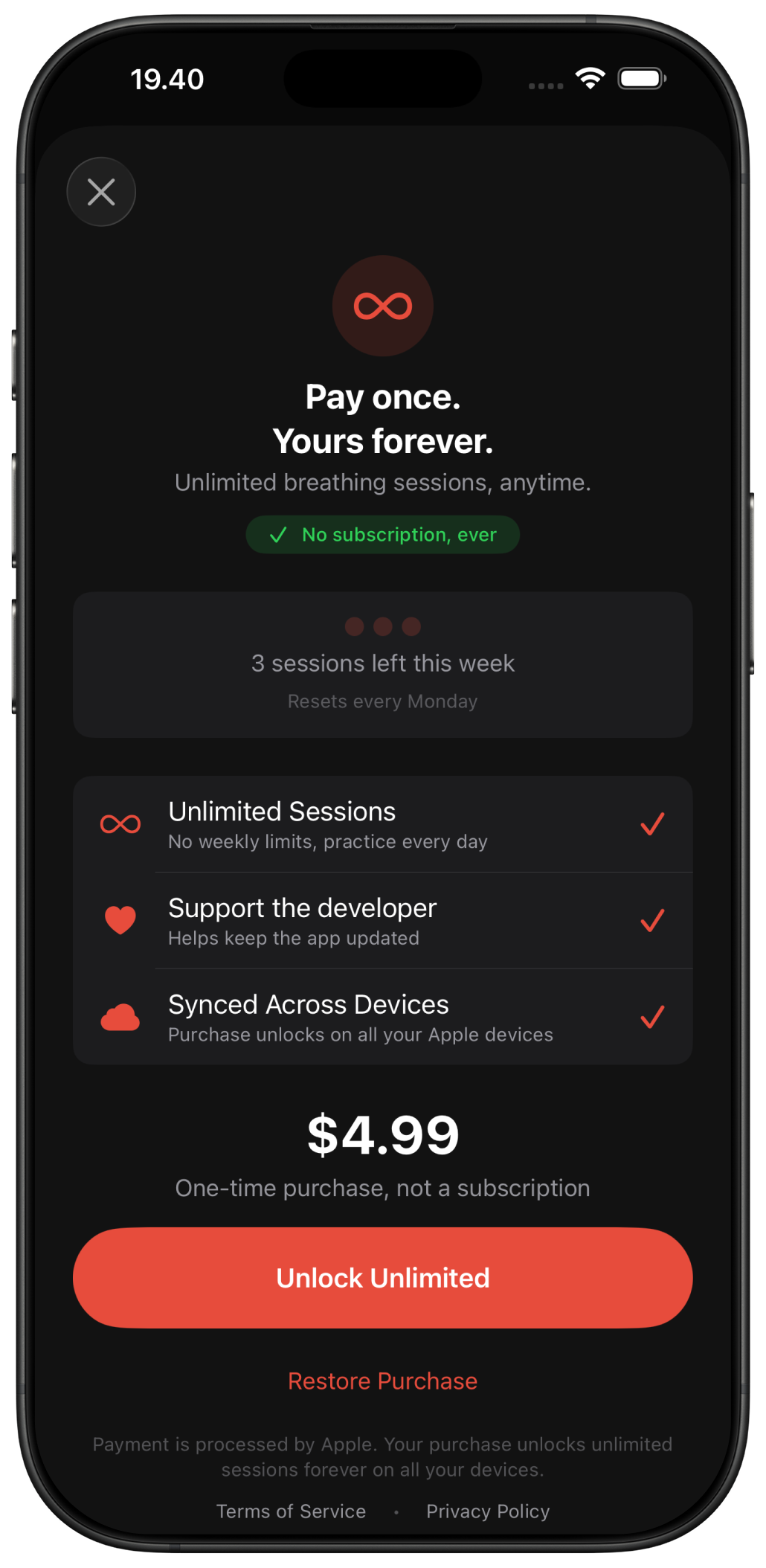
One purchase. Every Apple device.
Pust Reset works on iPhone, iPad, and Apple Watch. Your presets, sessions, and progress sync between them through iCloud. Buy once. Use it everywhere you sign in with your Apple ID.
- Presets and progress sync between iPhone, iPad, and Apple Watch
- One $4.99 purchase unlocks unlimited sessions on every device
- No accounts. No sign-ups. No ads.
Watch the breath, right on your wrist.
Each technique runs its own screen on Apple Watch. Pick one and watch exactly how it guides you, breath by breath.
Learn more about each technique →Four voices. Pick the one you'll listen to.
A real voice counts you through every breath in your AirPods. Choose the one that fits the mood, then hear it before you commit.
Feel every inhale, hold, and exhale.
Eyes closed, phone down. A pulse on your wrist and in your hand marks each phase, so you can follow the whole breath without looking at a screen.
⌁Haptic Cues
Mark inhale, hold, and exhale, so you always know which phase you are in. On Power Breathing they also flag the milestones: 10 breaths left, last breath, start of the hold, round complete.
•••Metronome
An optional per-second tick that counts the beat underneath the phase cues. Turn it on to pace 4-7-8 and Alternate Nostril, or leave it off for just the phase pulses.
On every device you reach for
Start a session on your iPhone. Pick it up on your watch during a walk. Your presets and progress follow you.
iPhone & iPad
The full breathing toolbox
- •All three techniques, each with its own screen
- •Voice cues and breath sounds you can turn off independently
- •Sessions save to Apple Health, as a workout or mindful minutes, your choice
- •Set a daily goal between 5 and 30 minutes, get one gentle reminder
- •Track personal bests on Power Breathing retention holds
Apple Watch
A reset on your wrist
- •Start a session from your watch, no phone needed
- •A tap on your wrist guides every breath, even when the screen is off
- •Voice cues in your AirPods walk you through the count
- •Heart rate captured to Apple Health alongside the workout
- •Add a complication to your watch face for a one-tap start
Activate when you need to. Calm when you need to. Balance when you need to.
Each technique does its job. You see the work. In your nervous system, your sleep, your day.
Before
“Breathwork was a vague good idea I never used right.”
After
“I have three reliable resets and I know exactly when to reach for each.”
Free to start. No strings.
Try all three techniques. Track your sessions in Apple Health. Decide later if you want unlimited.
Free
- All three techniques
- 3 sessions per week (resets Monday)
- First week from install: unlimited
- Saves sessions to Apple Health
- Personal bests and full session history
- Daily goals, streaks, and achievements
- Apple Watch app included
Premium
$4.99 once- Unlimited sessions, every day
- One purchase, every Apple device
- No subscription, ever
- Supports an indie developer
One-time purchase. No subscription. Yours forever.
Reset your nervous system. The right breath, when you need it.
Three proven techniques. iPhone, iPad, and Apple Watch. Sessions saved to Apple Health. Free to start.
Scan with your phone to download
Requires iOS 18 or later. iPad and Apple Watch supported.